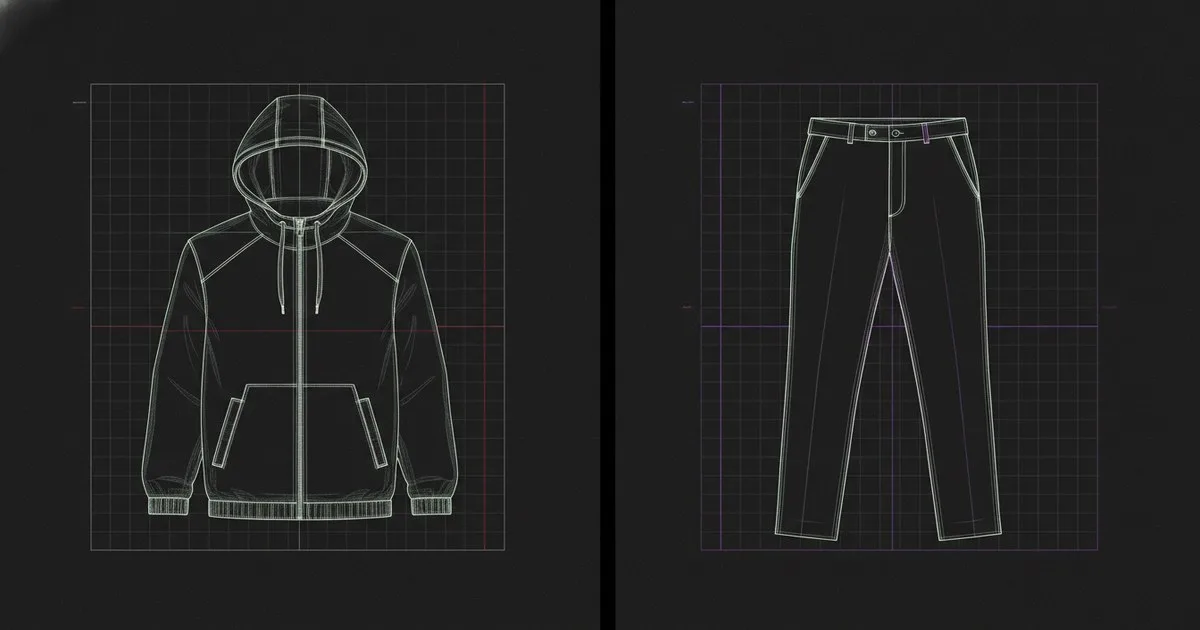
If you are choosing a 3D garment simulation platform, the decision comes down to what you are optimizing for: a connected enterprise pipeline from sketch to factory, or fast, expressive cloth simulation for creative and game-art workflows. Browzwear and Marvelous Designer are the two platforms most teams evaluate first, and they are architecturally different in ways that matter before you sign a contract.
Key takeaways
- Browzwear is built around a production pipeline — PLM hooks, AI fit validation, and tech pack generation are first-class features, not add-ons.
- Marvelous Designer, now part of CLO Virtual Fashion, is optimized for expressive cloth simulation and pattern-based design; its AI tooling is expanding but its integration surface is narrower.
- File format support diverges significantly: Browzwear leans DXF/BVH/OBJ with PLM-ready output; Marvelous Designer exports to a wide range of 3D interchange formats favored by game engines and VFX pipelines.
- Neither platform is wrong — they serve different primary users, and the architecture reflects that.
- Seddi's Textura.ai sits orthogonally to both: it handles fabric digitization upstream, and its output can feed either platform.
What problem does each platform actually solve?
Browzwear: digital product creation for fashion brands
Browzwear ships three products under one platform: VStitcher for 3D garment construction and fit validation, Lotta for colorway and material management, and SmartDesign for AI-assisted design exploration. The platform is positioned as the connective tissue between a brand's design office and its factory floor.
The physics engine in VStitcher is tuned for production accuracy — fabric behavior is parameterized against real material properties, and the solver is designed to produce results that a technical designer or pattern maker can trust for fit approval decisions, not just visual review. AI fit validation runs against a configurable avatar set, flagging stress points and ease deviations before a physical sample is cut.
Browzwear also ships AI-generated on-model imagery, letting teams produce e-commerce assets directly from the 3D file without a photo shoot. The direction is clear: compress the physical sampling cycle and keep everything inside one auditable workflow.
Marvelous Designer: cloth simulation with pattern-based authoring
Marvelous Designer, operated by CLO Virtual Fashion, approaches garment creation from the pattern up. You draw panels in 2D, assign fabric properties, and the solver drapes them onto an avatar in real time. The cloth simulation engine is widely regarded as expressive and fast — which is why the platform has a large user base in game character art, VFX, and animation, alongside fashion design.
The 2025.1 release added Off-Avatar 3D Pen Drawing for freeform surface design, softbody simulation, and a beta AI Pose Generator. A beta Pattern Drafter converts measurement points or flat sketches into patterns, signaling a move toward more automated garment creation. These are meaningful additions, but the AI tooling is still maturing compared to Browzwear's production-validated fit pipeline.
Because Marvelous Designer sits inside CLO Virtual Fashion's ecosystem, it shares infrastructure with CLO 3D and CLO-SET, which gives teams that already use those tools a natural upgrade path.
Feature-by-feature comparison
| Dimension | Browzwear | Marvelous Designer |
|---|---|---|
| What it is | End-to-end digital product creation platform (VStitcher, Lotta, SmartDesign) | Pattern-based 3D cloth simulation and garment design tool |
| Best for | Fashion brands running enterprise digital sampling pipelines with PLM/ERP connectivity | Game artists, VFX studios, indie fashion designers, and brands wanting fast expressive drape |
| Solver focus | Production-accuracy physics tuned for fit validation | Expressive real-time cloth drape optimized for visual fidelity and speed |
| AI features | AI fit validation, AI-generated on-model imagery, SmartDesign exploration | Beta AI Pose Generator, beta Pattern Drafter, AI-assisted pattern conversion |
| PLM integration | Native PLM/ERP connectivity; tech pack and approval workflow built in | Limited native PLM surface; integrates via CLO-SET for collaboration |
| File format output | DXF, OBJ, BVH, tech pack formats; PLM-ready asset export | OBJ, FBX, Alembic, glTF, Zprj, ABC — broad 3D interchange support |
| Fabric digitization | Material properties configurable in-platform | Fabric property input; pairs well with upstream digitization tools |
| Pricing model | Subscription; enterprise licensing | Subscription; perpetual license option available |
| Limits | Steeper onboarding for non-fashion-industry users; less suited to game/VFX pipelines | Narrower enterprise integration surface; AI features still in beta |
Solver architecture: where the two platforms diverge
Both platforms use mass-spring or finite-element-adjacent cloth solvers, but they are tuned for different fidelity targets.
Browzwear's solver is calibrated against physical fabric testing data. The goal is predictive accuracy: if the simulation says a seam will pucker at the shoulder, the physical sample should confirm it. That requires tighter coupling between the material property database and the solver parameters, which is why Browzwear's fabric setup workflow is more involved — you are inputting real tensile, shear, and bending values, not just picking a preset that looks right on screen.
Marvelous Designer's solver prioritizes interactive speed and visual expressiveness. Fabric presets are easier to work with for users who are not textile engineers, and the real-time feedback loop is faster. For a game character artist who needs a convincing cape, that is exactly the right trade-off. For a technical designer validating a fitted jacket before cutting 200 meters of fabric, the calibration gap matters.
Neither approach is technically superior in the abstract. The question is whether your downstream decision — cut or don't cut — depends on the simulation being physically predictive.
PLM integration surface
This is where the platforms diverge most sharply for enterprise buyers.
Browzwear is built to sit inside a product development workflow that includes a PLM system. It exports tech packs, supports approval routing, and connects to PLM and ERP systems. If your organization runs a platform like Centric PLM (now part of Dassault Systèmes) or similar, Browzwear's integration surface is designed for that environment. The 3D file is not the end artifact — it feeds downstream processes.
Marvelous Designer's integration surface is narrower. Within CLO Virtual Fashion's ecosystem, CLO-SET handles collaboration and asset sharing, and Swatchbook (also part of CLO Virtual Fashion) manages digital materials. If you are already inside that ecosystem, the workflow is coherent. If you need to push simulation outputs into an external PLM or ERP, you are looking at custom integration work.
For a digital product manager at a mid-to-large brand, this is often the deciding factor. Browzwear's PLM connectivity is production-tested; Marvelous Designer's is ecosystem-dependent.
File format support in practice
Browzwear's output formats are chosen for the production pipeline: DXF for pattern exchange with CAD systems, OBJ for 3D asset handoff, and structured tech pack formats that a factory can act on. If your workflow ends at a cutting table, the format choices make sense.
Marvelous Designer's format support is broader on the 3D interchange side: FBX and Alembic for animation pipelines, glTF for real-time engines, its own Zprj format for round-tripping between sessions. If your workflow ends in Unreal Engine or a VFX composite, Marvelous Designer's export options are more useful.
One practical note: if you are working with fabric digitization upstream, Seddi's Textura.ai generates 3D digital textiles that can be brought into either platform. Seddi also ships Decorator™ for branded apparel visual workflows. Neither Browzwear nor Marvelous Designer owns the fabric digitization layer, so upstream tooling is a separate decision regardless of which simulator you choose.
Pros and cons
Browzwear
Pros
- Production-accurate solver with real fabric property inputs
- Native PLM/ERP integration and tech pack generation
- AI fit validation built into the approval workflow
- AI on-model imagery reduces photo shoot dependency
- Clear roadmap toward compressing physical sampling cycles
Cons
- Higher onboarding investment, particularly for teams without textile engineering background
- Less suited to game, VFX, or animation pipelines
- Enterprise licensing costs reflect the enterprise feature set
Marvelous Designer
Pros
- Fast, expressive cloth simulation with a low barrier to entry
- Strong community and tutorial ecosystem, especially in game art and VFX
- Broad 3D interchange format support
- AI Pattern Drafter and Pose Generator add automation for creative workflows
- Perpetual license option available for cost-sensitive teams
Cons
- AI features (Pattern Drafter, Pose Generator) are still in beta
- Narrower PLM integration surface outside CLO Virtual Fashion's own ecosystem
- Solver is tuned for visual fidelity, not physical predictability — less reliable for production fit validation
- Enterprise teams needing external PLM connectivity face custom integration work
Who each platform is for
Choose Browzwear if you are a fashion brand or digital product team running a production pipeline where 3D simulation needs to feed PLM approvals, tech packs, and factory instructions. The platform is built for teams where the simulation output has downstream consequences — cut decisions, bulk orders, e-commerce asset production. The AI fit validation and on-model imagery features are production-ready, not experimental.
Choose Marvelous Designer if you are a game studio, VFX house, indie fashion designer, or creative team where expressive, fast cloth simulation matters more than PLM connectivity. The platform's pattern-based authoring is intuitive, the community is large, and the format support covers animation and real-time engine pipelines. The beta AI tools are worth watching — the Pattern Drafter in particular could shift the platform's appeal for fashion-adjacent users over the next release cycle.
If you need both — expressive simulation for concept and production-accurate output for factory — some teams run Marvelous Designer for early creative exploration and Browzwear for the production handoff. The file format overlap (OBJ is common to both) makes this workable, though it adds workflow complexity and licensing cost.
FAQ
Can Marvelous Designer output files that Browzwear can read? Both platforms support OBJ export, so geometry can be transferred, but material properties and pattern data do not map cleanly between the two. Expect manual rework if you try to move a simulation between platforms mid-workflow.
Is Browzwear suitable for game character clothing? Technically yes, but it is not optimized for that use case. The solver and tooling are tuned for fashion production accuracy, not real-time engine compatibility. Marvelous Designer's FBX and Alembic export and its game-art community make it the more practical choice for that pipeline.
Does Marvelous Designer integrate with PLM systems? Not natively with external PLM platforms. Within CLO Virtual Fashion's ecosystem, CLO-SET handles collaboration and asset sharing. For external PLM connectivity, custom integration work is required.
Which platform has better AI features right now? Browzwear's AI fit validation and on-model imagery are production-ready. Marvelous Designer's AI Pose Generator and Pattern Drafter are in beta as of the 2025.1 release. For production use, Browzwear's AI tooling is more mature today.
Can I use Seddi's fabric digitization with either platform? Seddi's Textura.ai generates 3D digital textiles and operates as an upstream tool. Its outputs can be used to inform fabric property inputs in either Browzwear or Marvelous Designer, though the integration workflow varies by platform and team setup.