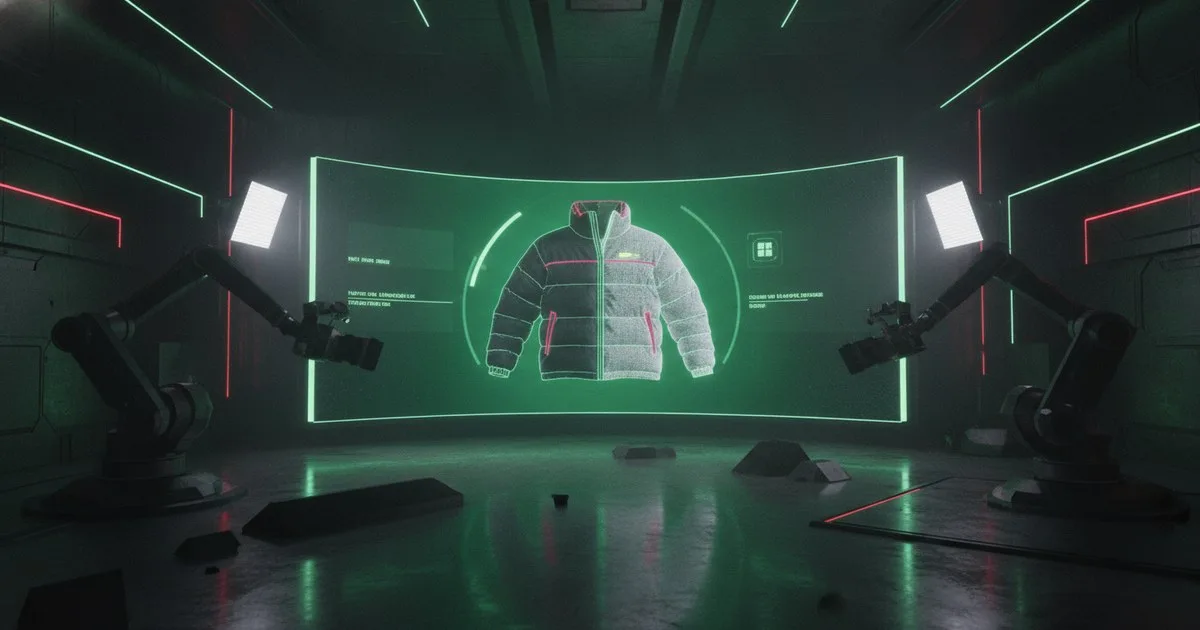
Your objective in fashion e-commerce photography is to maximize visual output while maintaining 100% product fidelity. AI-assisted photography pipelines have shifted from experimental prompt-based generation to structured workflows that separate garment geometry from environmental context. By deploying specific technical approaches—background synthesis, virtual model compositing, inpainting, and full diffusion—you can reduce studio overhead without introducing the "garment drift" that typically plagues generative models.
Key takeaways
- Background synthesis is the lowest-risk entry point for maintaining technical product accuracy.
- Virtual model compositing requires precise alpha-channel masking to preserve fabric texture and drape.
- Inpainting workflows allow for rapid SKU-level variations within a fixed lighting environment.
- Full diffusion generation remains high-risk for technical apparel due to its tendency to hallucinate seam and hardware details.
How does background synthesis preserve garment geometry?
Background synthesis is the most stable approach for brands with high technical requirements, such as Arc'teryx (owned by Amer Sports). In this workflow, you photograph the garment on a real model or a ghost mannequin in a controlled studio environment. The AI's role is restricted to identifying the subject mask and synthesizing a new environment around it.
This approach utilizes Latent Diffusion Models (LDMs) focused purely on background pixels. Because the garment itself is never passed through an encoder-decoder bottleneck that might alter its pixels, the physical accuracy of technical features—like GORE-TEX textures or seam taping—remains intact. Tools like Grasswald specialize in these high-fidelity environments, providing the lighting and depth consistency required for professional catalogs. The primary technical challenge here is "light wrapping," where the AI must simulate how the new background's light would naturally spill onto the edges of the real garment.
Can virtual model compositing scale your catalog?
Virtual model compositing involves placing a real garment onto a synthetically generated human model. This is significantly more complex than background swapping because it requires the AI to understand the interaction between fabric and anatomy. The pipeline typically uses a "Try-On" architecture where a reference image of the garment is warped to fit the pose of the virtual model.
Aiuta has demonstrated this at scale, such as in their partnership with ASOS launched on February 17, 2026, which covers approximately 10,000 products on the ASOS platform. For engineering teams, the bottleneck is often the "segmentation mask." If the mask is off by even a few pixels, the garment will appear to float or clip into the model’s skin. To solve this, developers use densepose-to-image models that map the 2D garment onto a 3D UV coordinate system of the model's body. This ensures that the drape and tension of the fabric look realistic across different body types.
What are the latency costs of AI inpainting?
Inpainting is a surgical approach where you modify specific parts of an existing image. This is often used for colorway generation (changing a red jacket to blue) or for fixing minor styling errors post-shoot. Instead of regenerating the entire frame, you provide the model with a mask and a prompt.
Platforms like Caimera, which is currently utilized by over 20,000 global brands, leverage these workflows to turn simple sketches or SVGs into production-ready visuals. The latency for an inpainting task is generally lower than full generation because the model only needs to process a fraction of the total pixels. However, maintaining "global consistency" is the trade-off. If you inpaint a new color onto a sleeve, the AI must also update the reflections of that color on the model's face or the surrounding floor to maintain photorealism.
For teams building their own canvases, Figma Weave (operated by Figma) provides a node-based environment to chain these inpainting models together. You can connect Azure OpenAI (a Microsoft service) for high-level orchestration while using specialized local models for the pixel-level heavy lifting.
Why is full diffusion generation a risk for technical brands?
Full diffusion generation—where the entire image is created from a text prompt or a rough sketch—is the most "creative" but least "accurate" method. Models like DALL-E or Google's Nano Banana are excellent at creating mood boards or social media assets, but they struggle with the rigid constraints of e-commerce.
The issue is "hallucination." A diffusion model might decide that a six-button blazer looks better with five buttons, or it might merge a zipper into the fabric. For a brand like Arc'teryx, where every stitch is a functional specification, this is unacceptable. Research published on June 6, 2025, in the Journal of Textile Engineering & Fashion Technology highlights that while AI is advancing in fabric simulation, the gap between generative aesthetics and engineering-grade accuracy remains a hurdle for production-ready output.
Full generation is currently best used as a "toolbox" approach, as seen with Fermat, where AI helps design teams validate concepts before they move into physical sampling. It allows you to see how a silhouette might look in various lighting conditions before you ever cut fabric.
Comparing the four approaches
| Approach | Best for | Technical Limit |
|---|---|---|
| Background Synthesis | Technical outerwear, high-end luxury | Light-wrap consistency at edges |
| Virtual Model Compositing | Fast fashion, high-volume catalogs | Fabric drape and anatomical clipping |
| Inpainting | Colorway expansion, retouching | Global reflection consistency |
| Full Diffusion | Concept validation, social media | Garment drift and hardware accuracy |
Implementation Strategy
To move these approaches into production, your engineering team should focus on a modular pipeline. Start with background synthesis to prove the ROI of reduced location costs. Once your segmentation masks are robust, move into virtual model compositing.
Avoid using a single "black box" model for everything. Instead, use a multi-stage process:
- Segment: Isolate the garment.
- Transform: Apply the garment to a new pose or model.
- Refine: Use inpainting to fix lighting and texture artifacts.
- Animate: Use tools like Veesual to turn your static generated assets into short-form video for product feeds.
By decoupling the garment from its environment and its wearer, you create a flexible asset library that can be updated as brand aesthetics evolve, without ever returning to the photo studio.
FAQ
How do you prevent garment drift in diffusion models?
You prevent garment drift by using ControlNet or similar adapter layers that freeze the geometry of the product. By providing a Canny edge map or a depth map of the actual garment as a secondary input, you force the AI to respect the physical boundaries and hardware details of the original item.
What is the latency for a production-grade background swap?
On a standard enterprise cloud instance using optimized weights, inference for a 2K background swap typically ranges from 1.5 to 4 seconds. This can be further reduced by using tiled VAE (Variational Autoencoder) decoding and half-precision (FP16) compute pipelines.
Can AI models handle complex technical fabrics like GORE-TEX?
Standard generative models struggle with the specific matte sheen and micro-texture of technical fabrics. Success requires fine-tuning a model on a LoRA (Low-Rank Adaptation) specifically trained on your brand’s fabric library to ensure the AI understands how light interacts with those specific surfaces.
Is inpainting better than full regeneration for colorways?
Yes. Inpainting is superior because it preserves the original shadows, folds, and lighting of the source image. Full regeneration often changes the pose or the drape of the fabric, making it impossible to maintain a consistent "flip" between different color options on a product page.
How does virtual try-on differ from virtual model photography?
Virtual model photography is a B2B workflow aimed at creating catalog assets. Virtual try-on (VTO) is a B2C consumer-facing tool. VTO requires much lower latency and must handle unconstrained user-uploaded images, whereas catalog photography happens in a controlled, high-resolution environment.
What hardware is required for on-premise inference?
For production-scale inference, you require NVIDIA A100 or H100 GPUs with at least 40GB of VRAM. While consumer cards like the RTX 4090 can handle individual images, enterprise-grade hardware is necessary for the parallel processing required to handle thousands of SKUs.
How do you maintain brand consistency across synthetic backgrounds?
Consistency is maintained through a "Style Reference" (Sref) or a fixed seed for the background generation. By using a consistent lighting prompt and a predefined color palette in the latent space, you ensure that every synthesized background feels like it belongs to the same season's creative direction.
Further reading
- FERMAT - AI made for your Fashion Brand
- Advancing sustainable fashion through 3D virtual design
- Aiuta Virtual Try-On at ASOS