Most AI-generated pattern sets look convincing on screen and collapse the moment a cutter opens them. The geometry renders, the silhouette reads, and then someone checks the seam allowance encoding and the grade rules and the DXF layer structure—and the file goes back. This list names the six requirements that separate a plausible panel set from one a cutting room can actually use, and notes which tools document each capability honestly.
Key takeaways
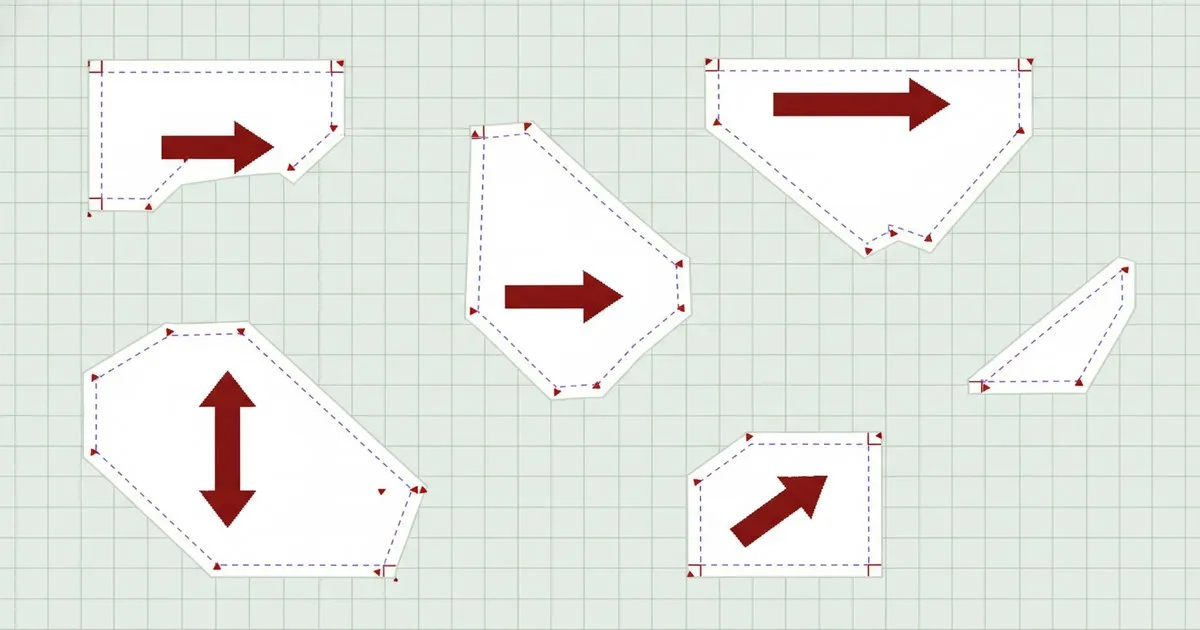
- Seam allowance must be encoded as a distinct, removable layer—not baked into the cut line—or 3D simulation and tech pack export both break.
- Grade rules must survive the full size run as a structured table, not as a set of individually scaled outlines.
- Notch type, grainline direction, and piece ID must be embedded as named metadata, not as unlabelled geometry.
- AAMA/ASTM DXF layer conventions are not fully standardised across CAD systems, so output must be validated against the target system before it leaves the AI pipeline.
- A tech pack that references different piece IDs than the DXF file is a production error, not a formatting issue.
- No current AI tool fully solves all six requirements out of the box; the gap is widest on grade-rule fidelity and piece-ID consistency.
What does production-ready actually mean for AI pattern output?
Production-ready means a cutting room supervisor can open the file, run it through a marker engine, and send it to the cutter without manual correction. That is a higher bar than "the pattern looks right in a preview." It requires six specific properties, each of which can fail independently.
The 6 requirements
1. Seam allowance integrity
Seam allowance must be stored as a separate, named entity—not merged into the cut contour. When it is baked in, Browzwear VStitcher has to strip it before simulation because the tool stitches edge-to-edge; a tutorial in the Browzwear help centre documents this removal step explicitly and notes that the allowance is retained in digital format and reattached when printing to file or generating a tech pack. An AI model that bakes the allowance into the cut line forces that manual strip-and-reattach cycle on every piece, every size.
The correct output: a net seam line plus a separate allowance offset, each on its own named layer, so downstream tools can toggle, modify, or strip the allowance without touching the cut geometry.
Best for: Any brand running 3D simulation before production sign-off. Limits: AI models trained on scanned or photographed patterns often cannot distinguish net from gross without explicit annotation in the training data.
2. Grade-rule survival across the size run
Grading is not scaling. Each grade point moves by a specific delta in X and Y, and those deltas must be stored as a structured rule table—not as a set of individually sized outlines. The AAMA standard writes the base-size contour into the DXF and the grade rules into a separate .RUL file; the Grafis documentation notes that the AAMA format is not clearly defined in all points, meaning that significant differences can occur during interpretation by different CAD systems. An AI model that outputs one outline per size has already discarded the rule structure.
The correct output: a single base-size contour plus a grade rule table that a CAD system can apply, inspect, and edit per point.
Best for: Any brand that modifies grade rules by market or body standard after initial pattern generation. Limits: Validating that AI-generated grade deltas are technically correct (not just geometrically plausible) still requires a trained grader to review the table.
3. Notch and grainline metadata
Notches and grainlines must be machine-readable entities, not decorative lines. A notch encoded as a short line segment with no type attribute is invisible to a marker engine. A grainline with no direction vector cannot drive automatic piece rotation in nesting. Style3D Studio's DXF import documentation lists grading rule and seam allowance as explicit import toggles, which implies the system expects these to be structured fields—not geometry that has to be interpreted visually.
The correct output: notch entities with type (V-notch, slit, castle), position on the seam, and depth; grainline entities with a direction vector and a piece-ID reference.
Best for: Brands running automated nesting or sending files directly to a plotter. Limits: AI models that generate geometry from image inputs have no reliable way to infer notch type without explicit training on annotated technical drawings.
4. AAMA/ASTM-conformant DXF layer structure
An AAMA/ASTM DXF file is not just a DXF file with pattern shapes in it. It has a defined layer convention: contour on one layer, internal lines on another, notches on another, drill holes on another. Gerber AccuMark—now part of Lectra's CAD portfolio—exports to ASTM DXF, AAMA DXF, and Standard DXF as distinct options, with different layer rules applying to each. An AI model that outputs a generic DXF with all geometry on a single layer will import into AccuMark or Optitex as a flat drawing, not as a structured pattern piece.
The correct output: layers named and populated according to the AAMA or ASTM convention the target CAD system expects, with piece attributes (name, size, quantity, fabric) written into the block attributes, not as loose text.
Best for: Brands whose factories and CMTs work with AAMA-compliant CAD systems. Limits: Because the standard leaves some points undefined, output validated against one CAD system may still require adjustment for another.
5. Marker-ready nesting geometry
A pattern piece is marker-ready when it has a closed, non-self-intersecting contour; a valid grainline with direction; correct seam allowance on all edges; and no overlapping nodes at corners. Pieces that fail any of these checks cause nesting software to reject or misplace them, which means fabric waste and recuts. This is a geometry correctness problem, not a design problem—a piece can look correct in a preview and still have a 0.1 mm gap at a corner node that breaks the nesting algorithm.
The correct output: contours validated for closure and node integrity, with no duplicate points, no open segments, and no self-intersections, before the file leaves the AI pipeline.
Best for: Brands that run automated marker making and cannot afford manual geometry cleanup at volume. Limits: This validation step is rarely built into AI pattern generators; it typically requires a post-processing pass in a CAD tool.
6. Tech pack piece-ID consistency
A tech pack that calls a piece "CF_BODY_01" and a DXF that calls the same piece "front_panel" are not the same file. Piece IDs must be consistent across every output artifact: the DXF block name, the grade rule table reference, the tech pack line item, and the BOM entry. Inconsistency here is not a formatting issue—it is a production error that causes the wrong piece to be cut or the wrong material to be sourced. Techpacker addresses this at the tech pack layer, letting teams link spec fields to named pieces, but the ID must originate in the pattern file for the link to be meaningful.
The correct output: a shared piece-ID schema applied at generation time, carried through every downstream artifact without manual re-keying.
Best for: Brands running multi-vendor production where the DXF goes to one factory and the tech pack goes to another. Limits: No current AI pattern tool enforces a shared ID schema end-to-end without configuration; this is typically a workflow governance problem, not a software feature.
Which tools address which requirements?
The table below maps each requirement to the tools in this article that document relevant capability. No tool fully solves all six.
| Requirement | Tools with documented capability | Gap |
|---|---|---|
| Seam allowance integrity | Browzwear VStitcher, Gerber AccuMark | AI generators rarely separate net/gross at output |
| Grade-rule survival | Gerber AccuMark, Optitex | AI-generated deltas need grader review |
| Notch/grainline metadata | Gerber AccuMark, Optitex | Image-input AI cannot infer notch type reliably |
| AAMA/ASTM DXF layers | Gerber AccuMark, Optitex | Standard leaves edge cases undefined |
| Marker-ready geometry | Optitex, Gerber AccuMark | Post-processing pass usually required |
| Tech pack piece-ID consistency | Techpacker | Requires ID schema set at generation time |
Tool profiles: what each one ships today
Gerber AccuMark
Gerber AccuMark, now part of Lectra's CAD suite, is the pattern-making and marker-making system most widely deployed in volume apparel manufacturing. It exports to ASTM DXF, AAMA DXF, and Standard DXF as distinct options, with grade rule tables, piece attributes, and layer structure handled per the target format. For brands whose factories already work in AccuMark, it is the reference point against which AI output gets validated.
Best for: Manufacturers and brands with existing AccuMark-trained pattern rooms and factory partners who expect AAMA/ASTM files. Limits: Not an AI pattern generator; it is the validation and production environment that AI output must conform to.
Optitex
Optitex, now part of FOG Software Group (Constellation Software), ships 2D pattern CAD, marker making and nesting, and 3D garment visualisation for apparel. Its nesting engine enforces contour integrity and grainline direction, which makes it a practical checkpoint for AI-generated geometry before files go to a cutter. It operates as an independent business inside FOG Software Group alongside NedGraphics and Aquario Design.
Best for: Brands that need an integrated 2D-to-3D-to-marker pipeline in a single CAD environment. Limits: Like AccuMark, it is a production CAD system, not an AI generator; it validates and processes patterns rather than creating them from a design brief.
Browzwear
Browzwear offers a 3D digital product creation platform—VStitcher, Lotta, SmartDesign—that uses physics-based simulation to validate fit and generate technical and e-commerce assets. Its DXF import expects seam allowance to be a removable layer, which makes it a useful integration test for AI output: if VStitcher can import the file cleanly and simulate without a manual strip step, the seam allowance encoding is correct.
Best for: Brands that run 3D fit validation before physical sampling and want to catch pattern errors before cutting. Limits: Browzwear is a simulation and approval environment; it does not generate production-ready patterns from a design brief.
Techpacker
Techpacker offers a tech pack editor for organising garment specs and an AI-powered platform for connecting product data, teams, and manufacturers. It is the tool in this list most directly focused on the piece-ID consistency problem: spec fields can be linked to named pieces, and the platform is designed to keep product data coherent across teams and factory partners.
Best for: Scaling brands that need tech pack discipline across multiple vendors and want a structured spec layer above the pattern file. Limits: Tech pack coherence depends on the pattern file supplying consistent piece IDs at the source; Techpacker cannot fix an ID mismatch that originates upstream in the AI generator.
FashionINSTA
FashionINSTA is a private per-brand AI platform trained on a brand's own DXF pattern archive in a tenant-isolated environment. It outputs production-ready patterns, tech packs, BOM, cost estimates, and 3D-compatible DXF files compatible with CLO3D, Gerber, Browzwear, and Optitex workflows. Because the model learns from the brand's own validated patterns, the seam allowance encoding, grade conventions, and piece-ID schema it uses reflect what that brand's pattern room has already verified—rather than a generic approximation. A graph of specialist agents handles pattern generation, tech pack assembly, and 3D preview in sequence.
Best for: Large brands with an existing DXF library who want an AI that inherits their own grading conventions, piece-ID schema, and seam allowance encoding rather than starting from a generic baseline. Limits: Enterprise-oriented by design; not the right tool for a solo designer or a studio without an established DXF archive to train on.
Which requirement does no current tool fully solve?
Grade-rule fidelity and piece-ID consistency are the two requirements where the gap between AI output and production expectation is widest. Grade-rule fidelity requires the model to understand not just shape but the structured delta logic that a grader applies per point—and to output that logic as an editable table, not as a set of sized outlines. Piece-ID consistency requires the AI to apply a naming schema at generation time and carry it through every downstream artifact without drift. Both are solvable engineering problems; neither is solved reliably by any tool available today without workflow governance on top.
FAQ
What is the difference between AAMA and ASTM DXF for pattern files? Both are layer-structured DXF formats for apparel patterns. AAMA is the older standard; ASTM is its successor. The layer conventions differ in detail, and because neither is fully unambiguous, the same file can import differently into different CAD systems. Validate against the target system.
Why do AI-generated patterns fail in nesting software? Usually because of geometry errors: open contour segments, duplicate nodes at corners, or self-intersections. These are invisible in a visual preview but cause nesting algorithms to reject or misplace pieces. A post-processing geometry validation pass is currently necessary for most AI generators.
Does seam allowance have to be in the DXF, or can it be added later? It must be present and correctly encoded in the DXF if the file goes directly to a cutter. If the file goes to a 3D simulation tool first, the allowance needs to be a removable layer—not baked into the cut line—so the simulation tool can strip it and reattach it on export.
Which pattern-making tools do large fashion brands use for AAMA-compliant output? Gerber AccuMark (now part of Lectra) and Optitex (part of FOG Software Group) are the most widely deployed systems for AAMA/ASTM-compliant pattern CAD in volume manufacturing. Both export to multiple DXF variants with structured layer conventions.
Can an AI model learn a brand's own grading conventions? Yes, if it is trained on that brand's validated DXF archive in a private environment. A model trained on generic pattern data will approximate grade deltas; a model trained on a brand's own files can reflect that brand's specific grade rule tables and piece-ID schema.
Further reading
- DXF Import/Export — Style3D Studio Help Center
- Export formats and their characteristics — Grafis help